Get useful fast.
RoadRova is designed to start with sensible content so setup does not become another job. Use this quick guide to get from signup to your first trip.
Create My RoadRovaSet up once.
Refine as you travel.
Start here.
Create your RoadRova
Enter your details and create your private free-testing account.
Choose your setup
Select the travel type that best matches the way you travel.
Choose equipment
For vehicle-based setups, tell RoadRova which equipment you use so relevant checks can be included.
Review packing
Open Packing, set what you need and what is already onboard, then tick items as they are packed.
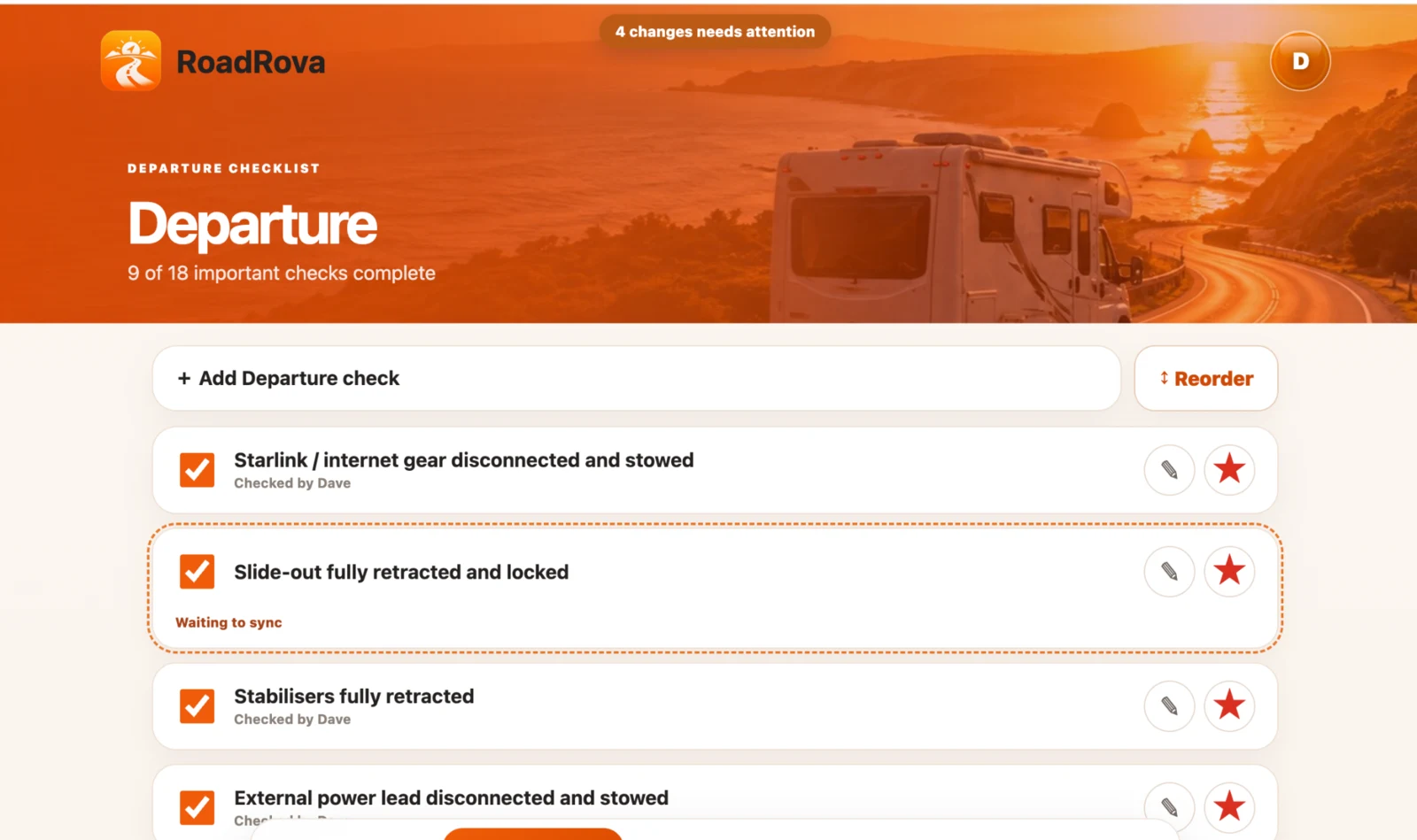
Use Departure
Before moving, work through your checks and make sure the important ones are complete.
Use Arrival
At the destination, switch to the Arrival routine and work through setup in order.
Your RoadRova should reflect your real routine.
If you keep remembering something that is missing, add it. If the wording is not how you think, change it. If the order is wrong, move it.
RoadRova basics
Do I have to build all the lists myself?
No. RoadRova starts with travel-specific packing sections and Departure / Arrival checks. You can then customise them.
Can more than one person use the same RoadRova?
Yes. Travellers in the same RoadRova can share trips, packing and checklists.
Can I add my own checklist items?
Yes. Departure and Arrival lists can be added to, edited and reordered.
Is RoadRova free?
RoadRova is currently in free testing. No payment card is required during the testing stage.
Can I try it without signing up?
Yes. Use the live demo for a temporary private copy, or create your own account if you want to keep your setup.
Try the RoadRova demo.
Explore a temporary copy, change things and see how the app feels before creating your own setup.